
Github Repo (including notebook for training the model)
Prior to the explosion of ChatGPT onto the public consciousness, Machine Learning was most closely aligned with image classification rather than text prediction in my mind. Alas! Oh how things have changed, transformed even. Regardless, Image classification is a key problem in computer vision that involves labeling an image based on its content. In this summary post, I’ll loosely describe how to use FastAI and Pytorch to create an image classifier that can recognize different types of objects in images. I’ve used the Food101 dataset and the ResNet-34 pretrained architecture. It’s simple, only tuned for three classes of pastry (donuts, panna cotta and cheesecake) and deployed using Streamlit onto Hugging Face Spaces.
For more information I can’t recommend the FastAI course enough.
FastAI offers tools for downloading and preparing common image datasets, which are all included in the notebook file – or for the adventurous you can create your own using labelling. Fine tuning a pretrained model drastically reduces the amount of data required. That is outside the scope of this adventure.
After preparing your dataset, you can use FastAI to create a DataLoaders object for loading and preprocessing the data, including resizing the images, normalizing pixel values, and applying data augmentation techniques. Then, you can use Pytorch to define a convolutional neural network (CNN) model that can extract features from the images and map them to the output classes. Train the model on the prepared dataset using FastAI’s fit() method and evaluate its performance on a validation set using tools provided by FastAI. You can then export the learner using learn.export(). See fast.ai’s fantastic course for more in depth instructions.
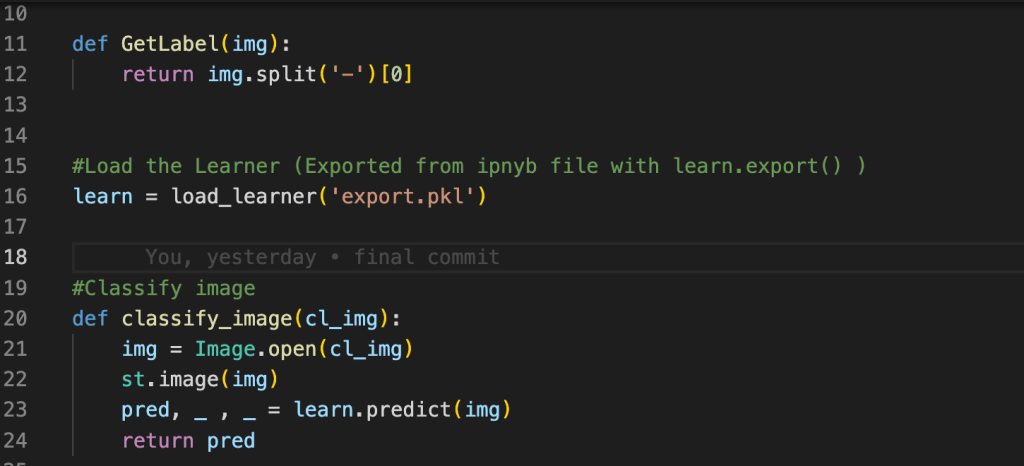
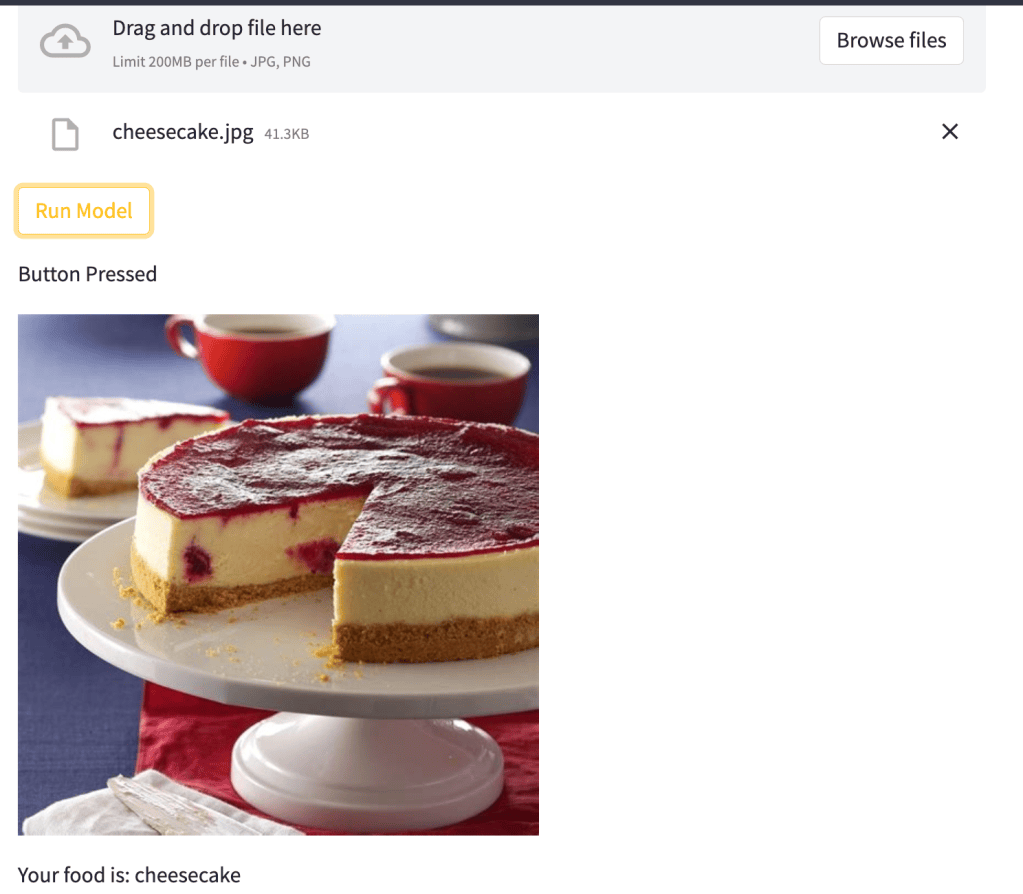
To deploy the image classifier, you can use Streamlit to build a simple user interface for uploading images and seeing predicted class labels on Hugging Face. It really is far simpler than a traditional web app, and for running inference on small datasets – ideal. You can also use Hugging Face’s Transformers library to deploy the model as an API, which can be accessed by other applications or services and hit at scale. The provided repository demonstrates a simple deployment strategy using Streamlit to load the trained model and predict the class label of an uploaded image.
In summary, the deep learning pipeline is like a powerful engine that can turn raw data into useful insights. With FastAI and Pytorch, you can train and evaluate complex models that can recognize patterns and make accurate predictions. And with frameworks like Streamlit and Hugging Face, you can easily deploy these models as web applications or APIs, making it possible to solve real-world problems in various fields. Just remember to load the pickle file and GetLabel() function before calling the classify_image function, and you’re good to go! Thanks to Fast AI and this tutorial for the guidance on my first model deployment.
Happy Learning!
 Aylex Riom